Product

Your organisational workflow made simple

Inventory management ∙ Inspection ∙ Analysis ∙ Follow-up

Product in practice

Intuitive, integrated workflows

From tree inventory management to inspecting, analysing, and following up all in one intuitive platform.

Workflow 01

Create an organisation
and manage teams and roles

Administrators can set up their organization, create multiple teams, and assign roles to members for controlled access to tree inventory and inspection tasks.

  • Create a central organizational profile
  • Manage team memberships and permissions
  • Give dedicated roles to field teams and inspectors
  • Assign teams or individual users to specific trees
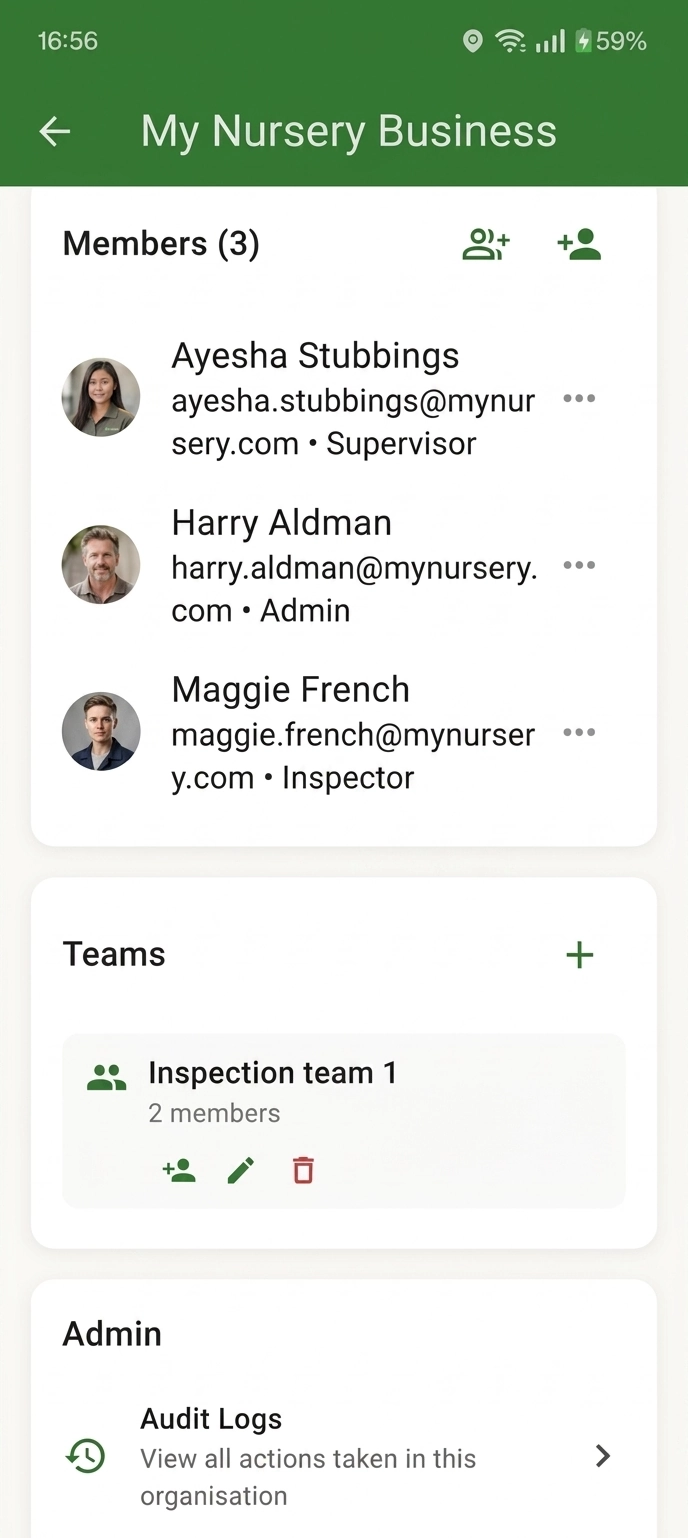
Boomwacht organization and team management dashboard

Workflow 02

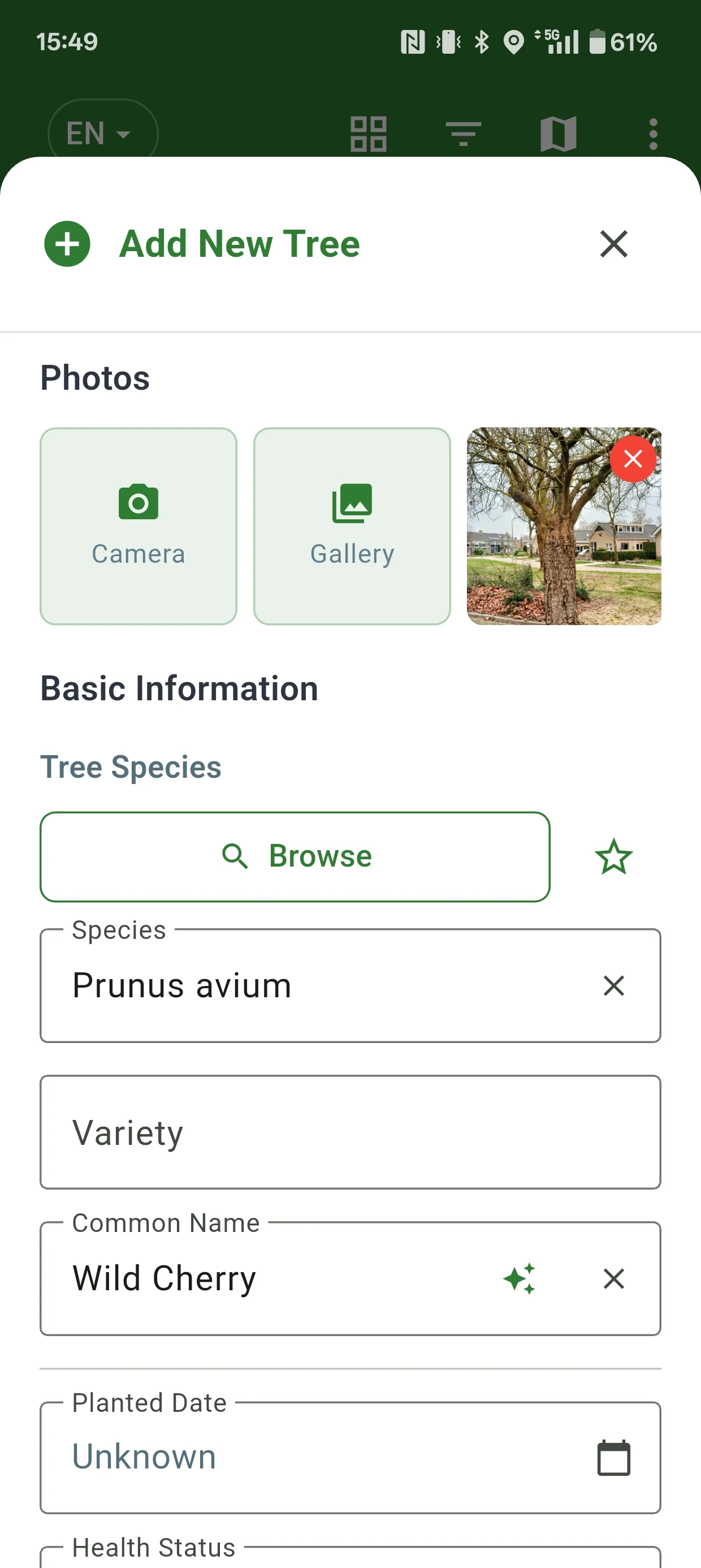
Add a tree with location, photos, and field context

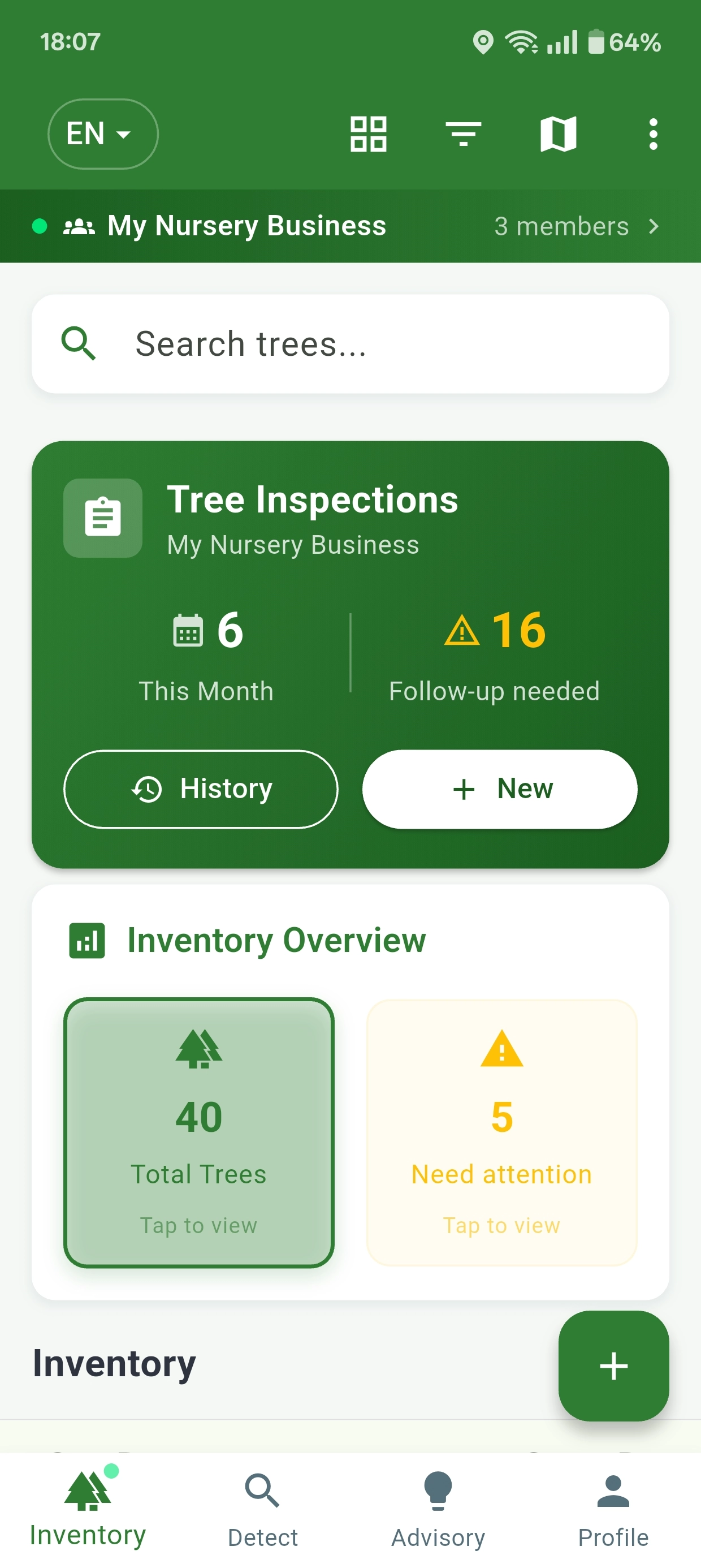
The inventory flow supports species, variety, planted date, health status, notes, photos, GPS, map selection, and fixed location fields such as section, row, and position.

  • Import existing inventory via CSV as a starting point
  • Add trees using GPS, geo-located photos, or location history
  • Attach multiple images from camera or gallery
  • AI can assist with species identification
  • Store everything directly inside the same tree record
Boomwacht tree inventory workflow

Workflow 03

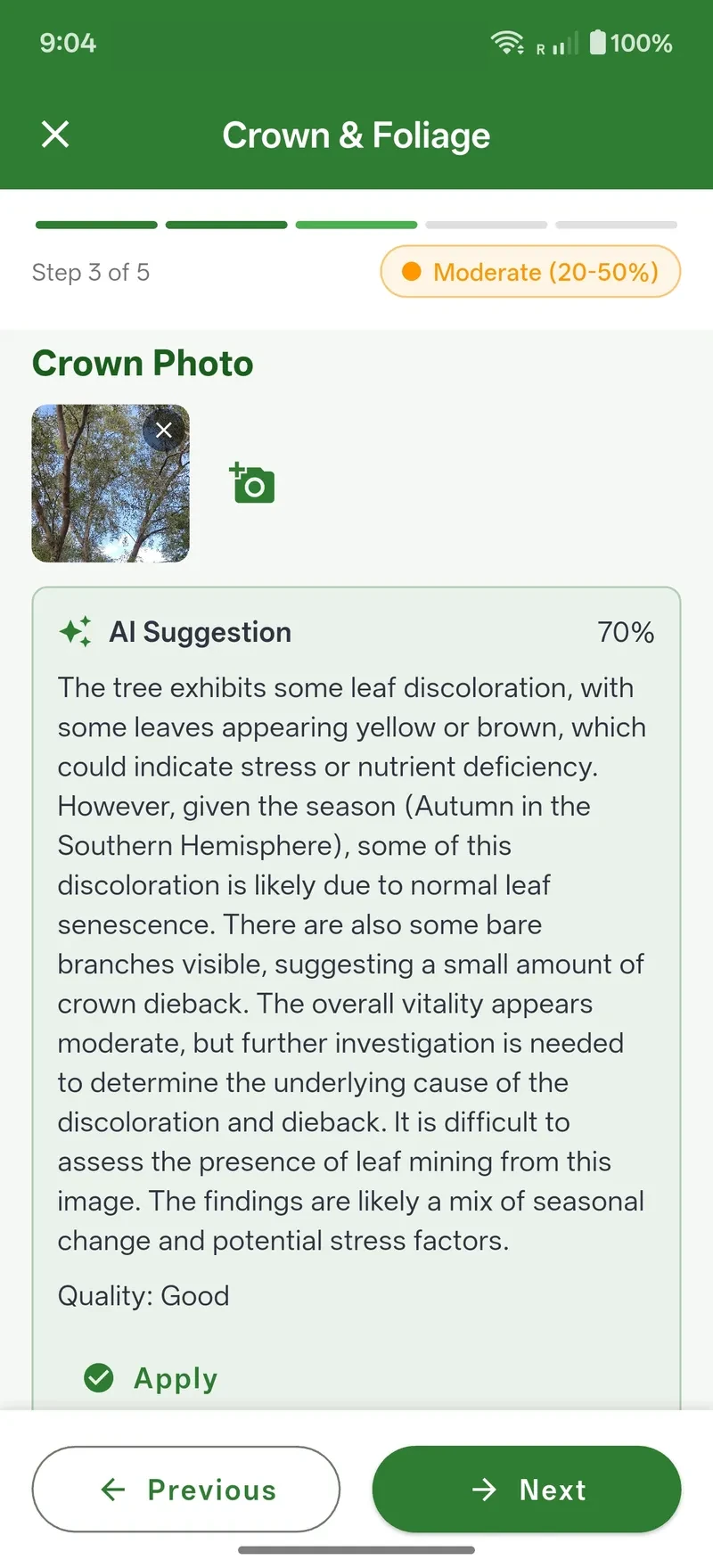
Inspection wizard with AI assistance

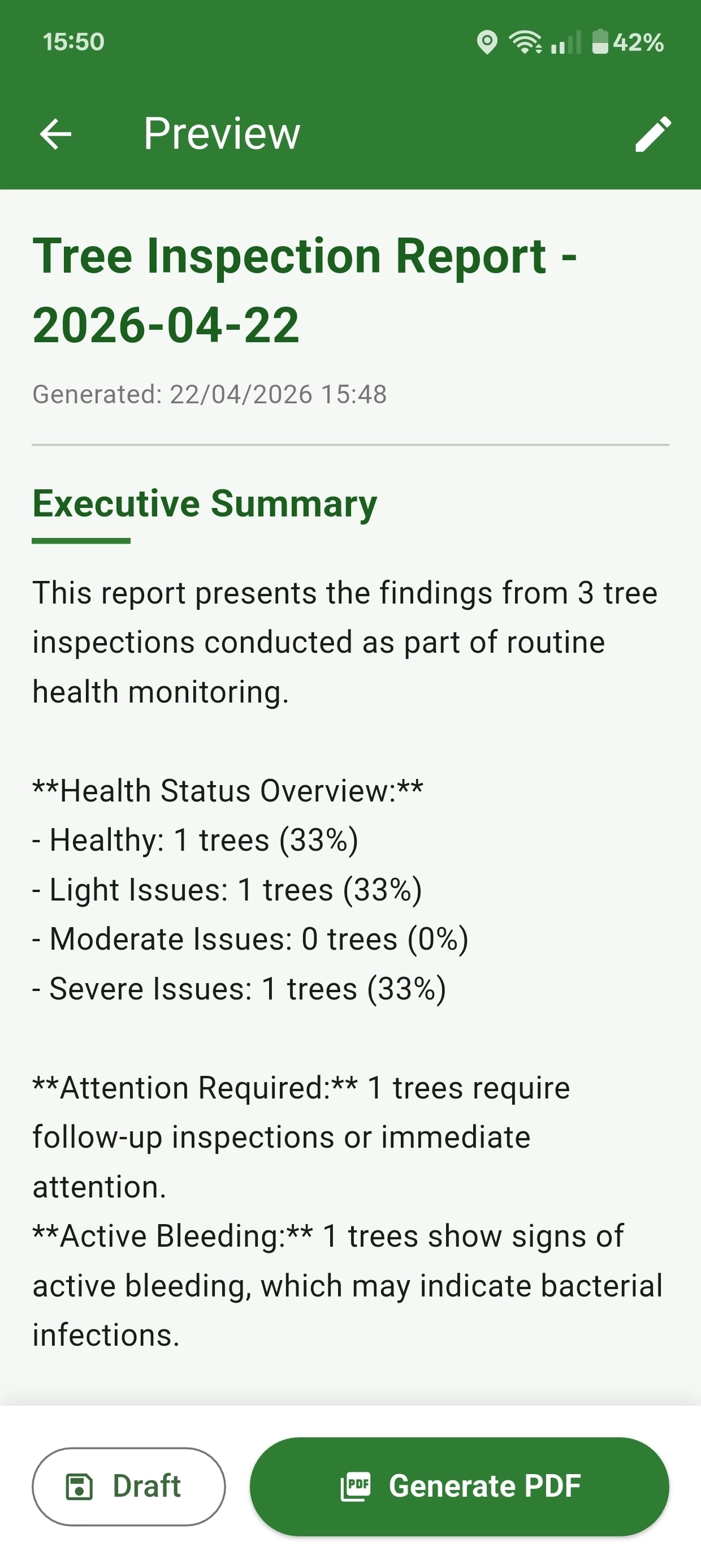
The wizard guides inspectors step by step. Photos can be added by category, after which AI analysis helps structure symptoms and severity signals inside the same flow.

  • Growth metrics are recorded and added to ongoing growth charts
  • Fixed steps for symptom identification, assessment, and summary
  • AI analysis supports photo interpretation during inspection
  • Results stay tied to that tree and form an inspection history
Boomwacht inspection wizard with AI analysis

Workflow 04

Full tree history with QR, and follow-up

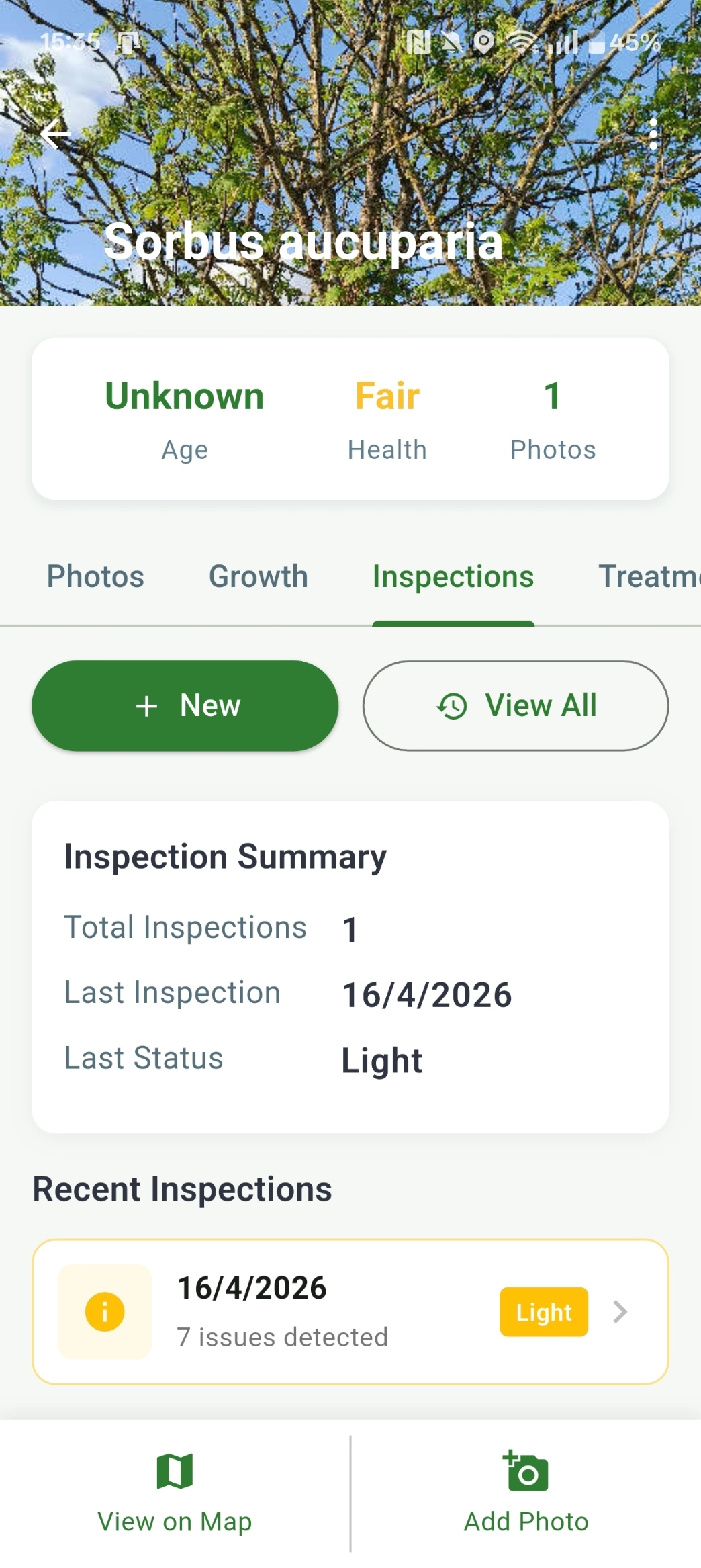
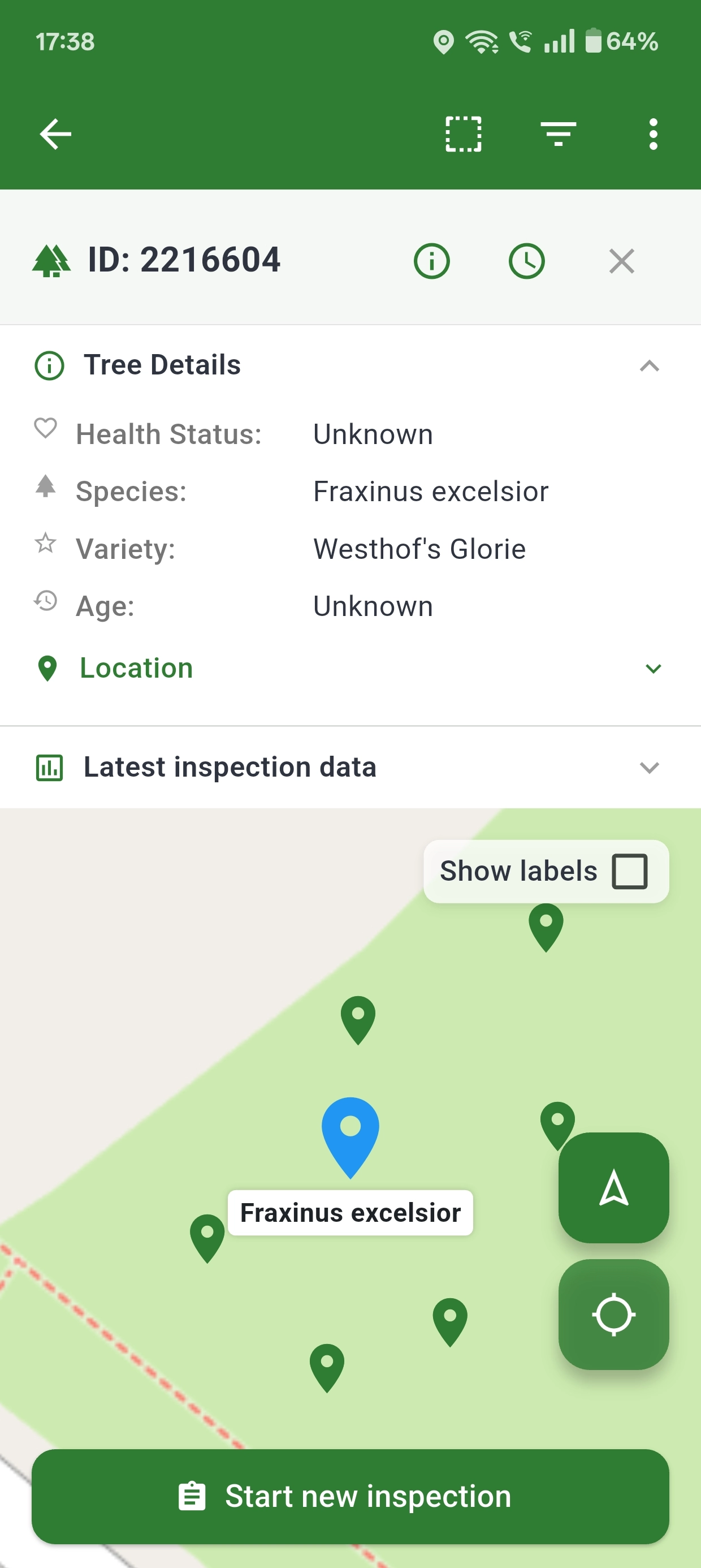
After registration and inspection, the information remains available in a full tree record with growth measurements, inspection history, sharing options, and QR lookup.

  • Review earlier inspections and growth data per tree
  • Use QR to reopen records faster in the field
  • Export core inventory data back to CSV for existing systems
  • Work with shared team context instead of separate reports
Boomwacht tree record with inspection history

Core features

Enable efficiency

An operational set of tools for registration, inspection, and follow-up.

Tree inventory

Register trees with species, variety, planted date, health status, notes, and images.

Location intelligence

Work with GPS, map selection, location history, and structured location fields such as section, row, and position.

Batch import and export

Import existing inventory from CSV or GeoJSON and export inventory data for exchange with other GIS or asset management systems.

AI analysis

Use AI analysis as an extra support layer when diagnosing and reviewing inspection photos.

Inspection wizard

Follow a fixed inspection path with steps, fields, photo categories, and summary handling.

Tree record and QR

Return to the same tree later with history, growth data, photos, QR, and sharing options.

Teams and reporting

Work inside organisational structures and build reporting from the same operational data.

QR codes

Scan a tree without the app

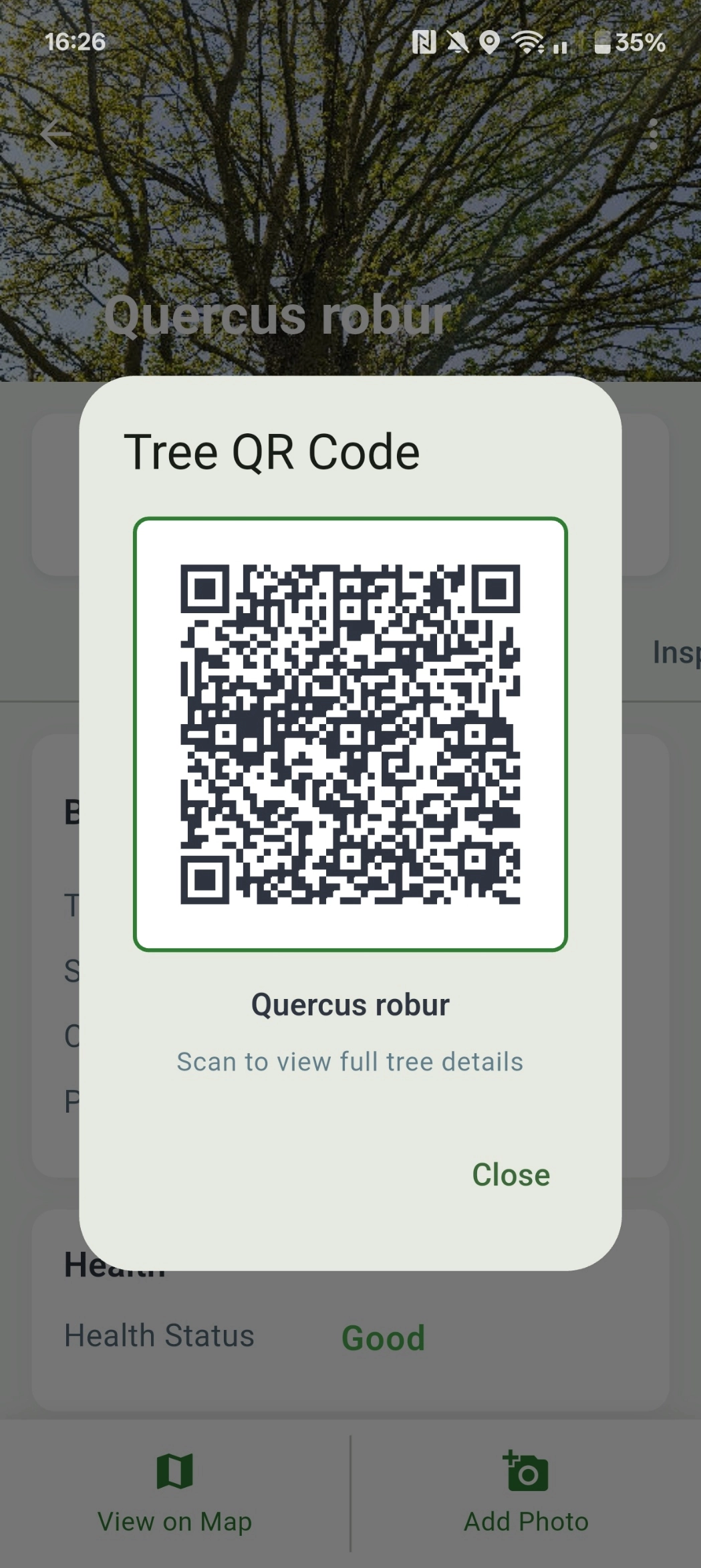
Every tree in Boomwacht gets a unique QR code.
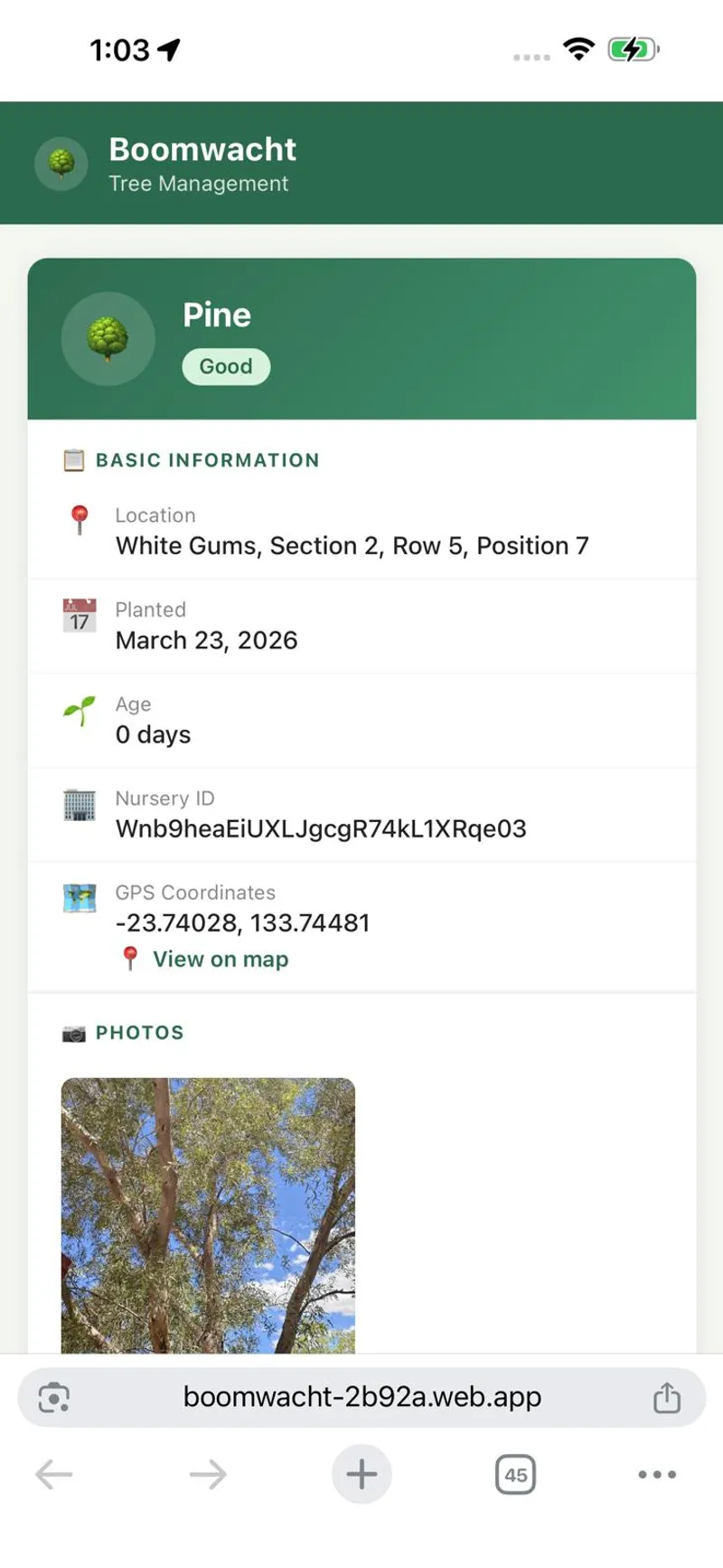
No app needed - scan and sign in to instantly view all tree data in your browser.

QR codes

Scan a tree without the app

Every tree in Boomwacht gets a unique QR code. Scan and securely log in to view the tree's data. Ideal for site managers, contractors, or anyone who needs quick context on a tree.

  • Print the QR code and attach it to the tree or a tree label
  • Scan with any modern smartphone camera - no special scanner app required
  • Instant access to the full tree record in your browser
  • No installation needed to view tree information. Scan the code and log in.
QR code of a tree in Boomwacht

QR code scan result showing tree information in browser

More product views

See your data in context

Beyond inventory and inspection with overview, growth detail, recommendations, and an interactive map.